
Workflows
How to Build Your First Jotform Workflow
Learn how to connect forms, approvals, tasks, and follow-up steps into a practical Jotform workflow for hiring, operations, and client intake.
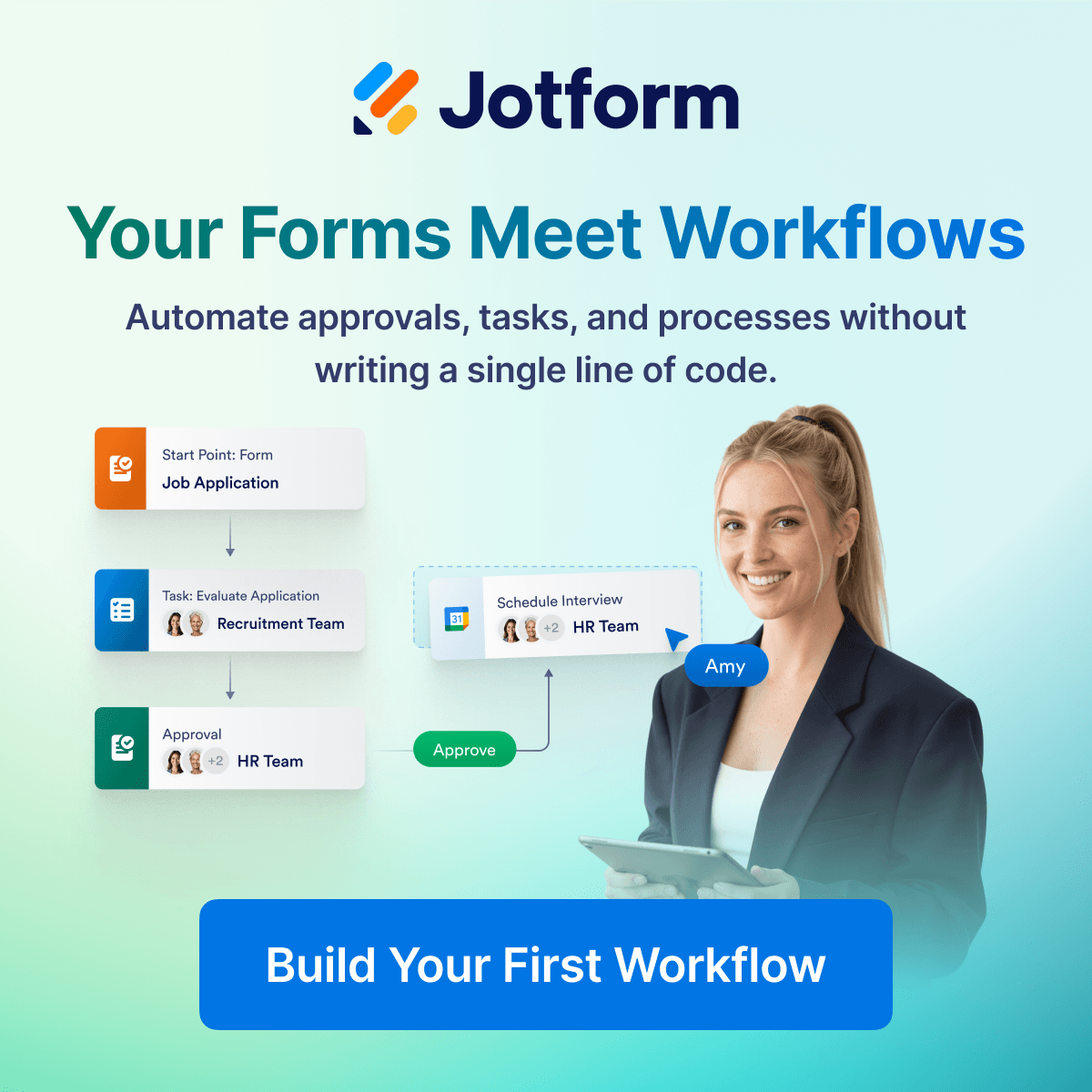
A useful workflow starts with one clear form, then connects review, approval, scheduling, and follow-up steps so the team is not moving every submission by hand.
A workflow should start with one clean submission path
The easiest way to build a first workflow is not to automate everything at once. It is to choose one starting point where information currently arrives in a messy way, then turn that step into a structured form.
For hiring, that starting point might be a job application form. For client work, it might be an intake form. For operations, it might be a request form. The form gives the workflow a consistent source of truth.
Turn each submission into a clear next action
Once the form is working, the next question is what should happen after someone submits it. A strong workflow usually moves the response into review, approval, scheduling, or task assignment without requiring the team to manually recreate the same steps every time.
This is where Jotform workflows can help teams connect forms to approvals, notifications, and task-style handoffs. The goal is not complexity. The goal is a predictable path for every response.
- Use the form as the start point for the process.
- Route submissions to the right reviewer or team.
- Add approval steps only where a decision is actually needed.
- Connect scheduling or follow-up after the review step is complete.
Hiring workflows are a practical first use case
Hiring is a useful example because the process has natural steps: application, screening, internal review, interview scheduling, and final discussion. A workflow can make those steps easier to follow without forcing the team into a heavy recruiting system.
For small teams and agencies, that kind of structure can be enough to reduce missed candidates, duplicate messages, and unclear ownership.
Keep the first version simple enough to maintain
The best first workflow is usually small. Start with the form, one review step, one notification path, and one clear follow-up action. Once that feels stable, it becomes easier to add conditional routing, approval stages, or more detailed reporting.
Noxtiz recommends treating workflow building as a staged improvement. A clear first version is more valuable than a complicated setup that the team does not trust yet.
Ready to go further with Jotform?
The Gold plan gives you more submissions, more storage, no Jotform branding, and access to advanced features like conditional logic, payment integrations, and approval workflows. Most businesses find it the best value.
- Up to 100 forms and 10,000 submissions per month
- 100 GB of storage and 10,000 encrypted uploads
- Remove Jotform branding on forms
- Advanced features: conditions, payments, approvals, and widgets